How to time a race without chips
You do not need chips to time a gym sim, a fun run or a small race. This guide compares the four ways to do it, explains how phone tap timing works and how many people you need, and covers when chip timing is worth hiring.
Free to sign up. Your first event is free for up to 100 athletes.
Four ways to time a race
You can time a race with a stopwatch and clipboard, a spreadsheet, a phone timing app where judges tap athletes through, or hired chip timing. For gym sims, fun runs and small races, phone tap timing gives you splits without hardware; chips suit big fields finishing together.
| Method | Cost | Splits | Live board | Best for |
|---|---|---|---|---|
| Stopwatch and clipboard | Next to nothing | No | No | A dozen people |
| Spreadsheet | Free | With double typing | No | One finish line |
| Phone tap timing | Free to a small fee per athlete | Every timing point | Yes | Gym sims, fun runs, small races |
| Chip hire | The most expensive | At each mat | Ask the timer | Hundreds finishing together |
Stopwatch and clipboard
- How
- One clock runs from the start. Someone writes down the time and the bib number as each athlete finishes.
- Pros
- Simple, no signal or tech needed, fine for a dozen people.
- Cons
- Finish times only, no splits. Bunched finishes get missed. Someone types it all up afterwards.
A spreadsheet
- How
- A laptop at the finish. Times are typed in as people cross, and formulas sort the results.
- Pros
- Results calculate themselves and are easy to share.
- Cons
- One person, one laptop, one timing point. Splits mean double the typing. No live board for the crowd.
A phone tap timing app
- How
- Judges open the app on their own phones and tap each athlete as they finish each run, station or the race.
- Pros
- Splits for every segment, several judges at once, a live leaderboard and results the same day, on phones you already have.
- Cons
- Each timing point needs a person watching, and a tap is only as good as the person making it.
Chip timing hire
- How
- Athletes wear a chip; mats or antennas at the start, finish and split points read it as they pass.
- Pros
- Very accurate, no human error, copes with hundreds of people finishing at once.
- Cons
- Hire cost, chips to hand out and collect, and kit to set up. Splits only where you put a mat.
How phone tap timing works
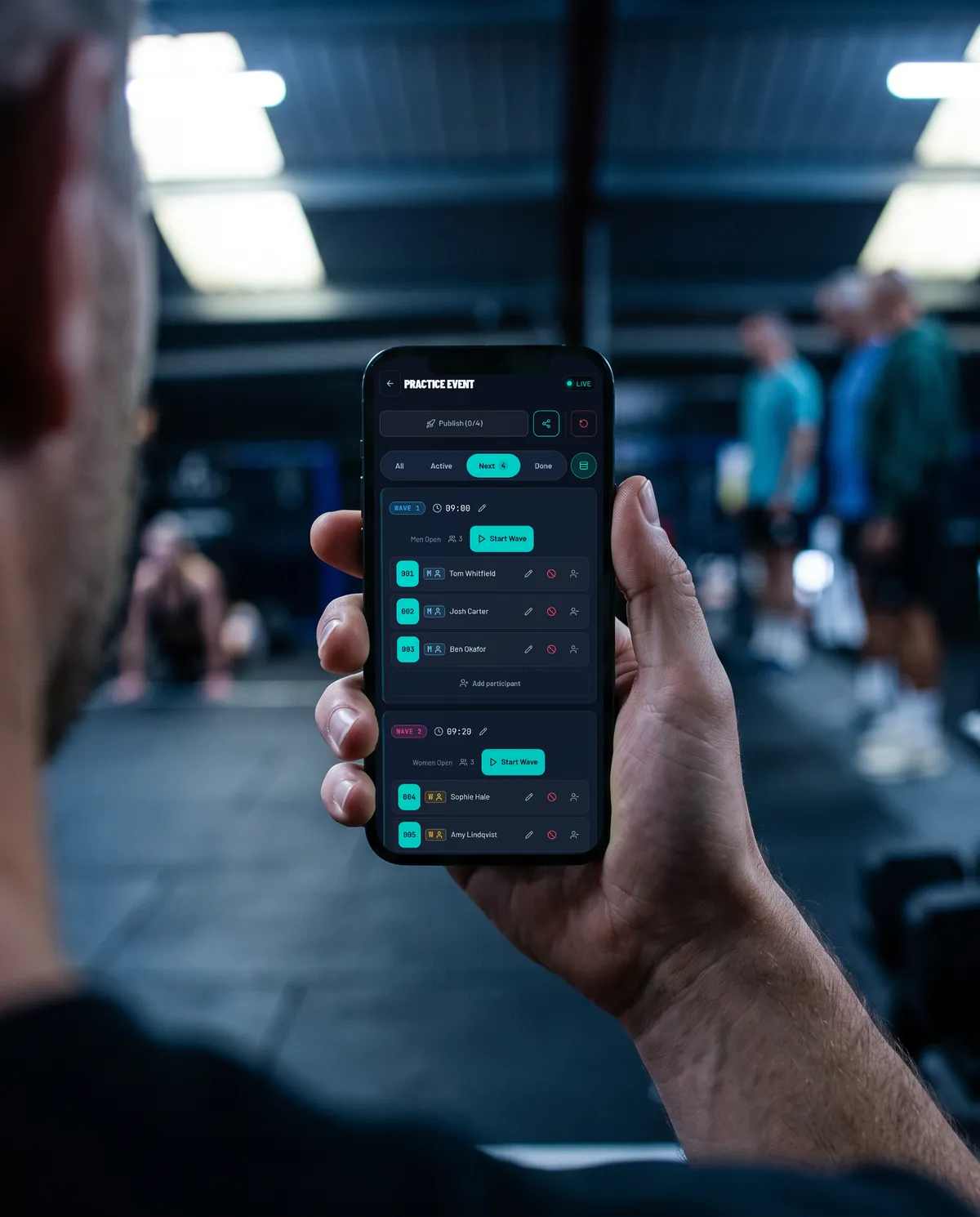
A judge starts the wave on their phone, then taps each athlete's name as they finish each run, station or the race. The app records the exact time of each tap, works out every split and updates the leaderboard.
Each judge covers one timing point, such as the gym door where athletes come in from the run, or a single station. A mis-tap can be undone on the spot. Because the time is taken on the phone at the moment of the tap, a slow connection does not change it.
What if the Wi-Fi drops?
A good timing app keeps working offline. Each tap is saved on the phone with its exact time and sent when the connection comes back, so no split is lost.
Test the timing points before the day anyway: walk the course with a phone and check where the signal is weakest.
Mass start or waves?
A mass start sends everyone off together: simplest for a fun run, but finishes bunch up. Waves start small groups every few minutes: easier to time, kinder to a gym floor, and each athlete's time runs from their own wave start.
Most gym sims use waves sized to the station with the fewest machines, usually the sled. A 5 km fun run can mass start if you have two people on the finish.
Work out wave size and gaps →DIY race timing apps compared →
How many people do you need?
For a run-and-station race timed on phones: Fewer than 20 athletes: 1 judge. 20 to 79 athletes: 2 judges. 80 or more: one judge per station.
A judge here is a person timing splits on their phone at the gym door, where athletes come in from the run to do the stations inside and go back out. With one judge per station, each station judge can also apply penalties.
For a fun run with one finish line, one person tapping and one calling out bib numbers is enough for a small field. Add a second pair once runners start finishing in groups.
Timing a 5k or fun run without chips
Start everyone on one clock, have one person tap each runner as they cross the line and a second read out bib numbers. Keep a written list of finish order as a backup.
- Give every runner a bib number, big and on the front
- Make a finish funnel so runners cross one at a time
- Put the timers just past the line, facing the runners
- Check the tapped order against the written order before you publish
How accurate is manual timing?
Tap timing is usually within a fraction of a second when the judge is watching the line, which is plenty for a gym sim or a fun run. For records or a large, tightly bunched field, use chips.
How HRP times a race
HRP is a phone tap timing app built for gym sims and fitness races. Judges open a link on their own phone with the event PIN, tap athletes through each run and station, and the gym TV leaderboard updates live. It works offline and results publish the same day.
Athletes book and pay on your event page, waves are planned from who booked, and every athlete gets a full split breakdown. Formats scored on reps, calories or metres are entered on the same phones.
Pricing: free to sign up, your first event free for up to 100 athletes, then £1 per athlete. No hardware and no subscription.
For bigger events, HRP can take chip times from RACE RESULT timing systems alongside tap timing.
Questions organisers ask
What is the best way to time a race without chips?
A phone tap timing app. Judges tap athletes through on their own phones, which gives splits and a live leaderboard without hardware. A stopwatch and clipboard is fine for a dozen people.
Is there a free race timing app?
A stopwatch and a spreadsheet are free. HRP is free to sign up and your first event is free for up to 100 athletes; after that it is £1 per athlete.
How do I time a 5k without chips?
Start everyone on one clock, have one person tap each runner across the line and another call out bib numbers, and keep a written finish order as a backup.
How accurate is manual race timing?
Usually within a fraction of a second when the timer is watching the line. That is plenty for gym sims and fun runs; use chips for records or large bunched fields.
How many timers do I need for a gym sim?
Fewer than 20 athletes: 1 judge. 20 to 79 athletes: 2 judges. 80 or more: one judge per station. A judge here is a person timing splits on their phone at the gym door, where athletes come in from the run to do the stations inside and go back out. With one judge per station, each station judge can also apply penalties.
What happens if there is no signal?
HRP keeps timing offline. Each tap is saved on the phone with its exact time and sent when the connection returns.
Do I need chip timing for a gym sim?
No. Gym sims are usually timed by judges tapping on phones. Chip timing is worth it for big fields with hundreds of people finishing together.
Can I use chip timing with HRP?
Yes. For larger events HRP can take chip times from RACE RESULT systems, alongside tap timing on judges' phones.
More guides for organisers
- Fitness event softwareBookings, waivers, live timing and results for any gym fitness event, in one place.
- How to set up your own fitness eventFrom format and venue to bookings, judges, timing and results.
- How to run a HYROX sim at your gymRuns, stations, waves and a live gym TV leaderboard.
- How to run a CrossFit competition at your gymWorkouts, divisions, scoring and a live leaderboard for a throwdown.
- How to run a partner fitness racePairs, timed blocks, reps and metres, and a score for every team.
- Gym event ideas12 events members will enter, with format, kit and how to score each one.
- How to time a HYROX-style sim at your gymJudges at the door, how many you need, and what to do if the signal drops.
- Race timing for small eventsWhat it costs, how many judges you need and how timing works on the day.
- DIY race timing apps comparedWebscorer, RaceClocker, RaceSplitter, free options and HRP, and when to hire chips.
- For event companiesRun your own branded race series across venues.
Time your next event on HRP
Tap timing on judges' phones that works offline, a live gym TV leaderboard and a full split breakdown for every athlete the same day, with bookings and payments built in. First event free for up to 100 athletes, then £1 per athlete.
HYROX is a trademark of its owner. Hybrid Racing Platform is independent, not affiliated with or endorsed by HYROX, and publishes no official HYROX results. The name is used here only to describe the race format.