How to time a HYROX-style sim at your gym
Timing a sim comes down to a few decisions: where your judges stand, how many you need, and what they do when something goes wrong. This guide covers each one, including what does and does not work without signal.
A free planner. No account needed.
Where should judges stand?
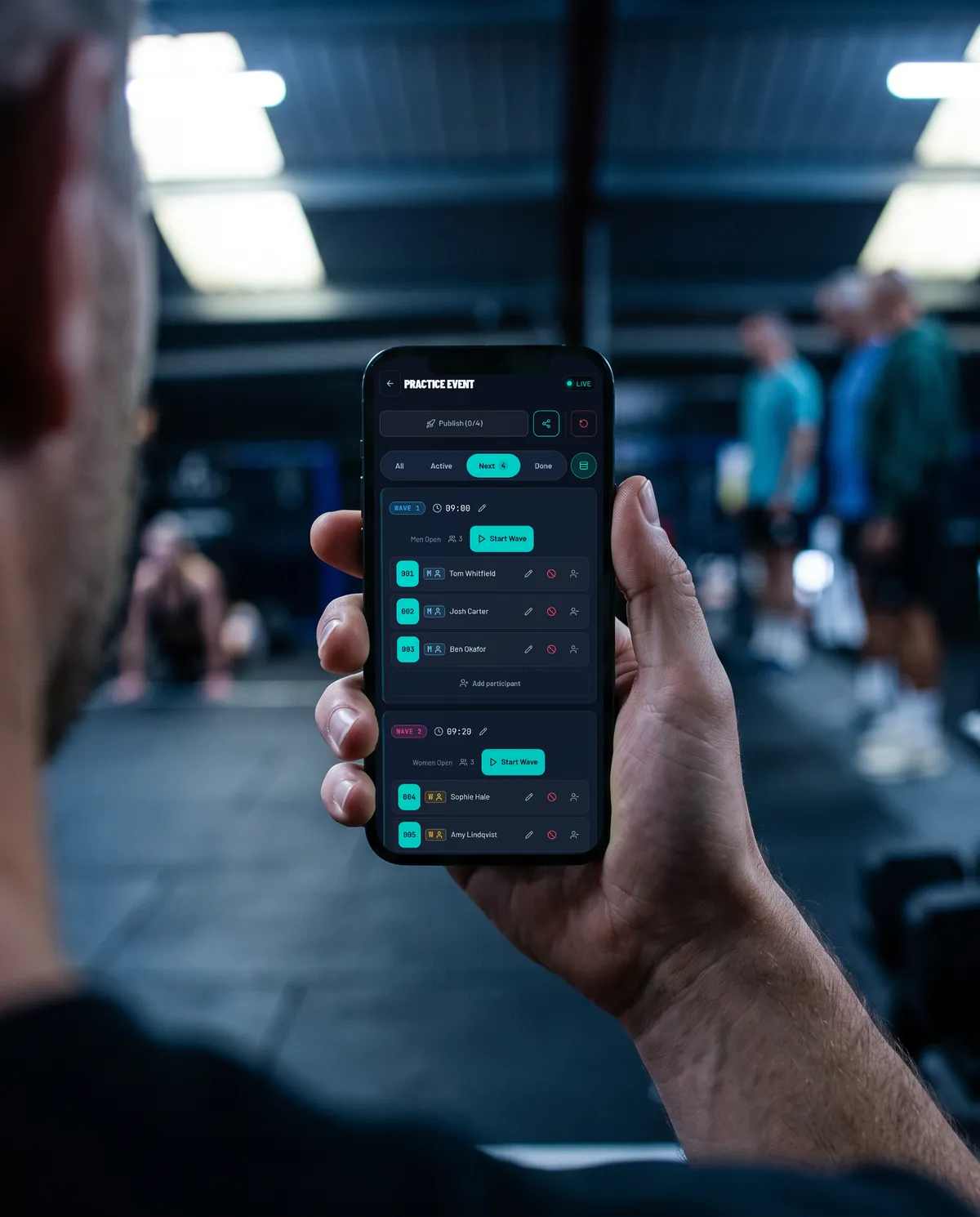
At the gym door. Athletes come in from the run to do the stations inside and go back out, so one spot sees every athlete at the end of each run and the end of each station.
That is why a small sim can be timed by one or two people. Nobody has to walk the floor, and the judge never loses sight of who is coming in.
- Pick one door for the whole race. If athletes can use a second way in, close it off
- Mark a line on the floor, so every judge taps at the same moment for every athlete
- Stand to one side, where athletes can pass at full speed and you can still see who is coming
- If the door is outside, plan for rain and for a phone screen in bright sun
How many judges do you need?
Fewer than 20 athletes: 1 judge. 20 to 79 athletes: 2 judges. 80 or more: one judge per station.
| Athletes in the event | Judges | For example | Where they stand |
|---|---|---|---|
| Fewer than 20 | 1 | 12 athletes in one wave | At the door |
| 20 to 79 | 2 | 60 athletes in waves of 10 | At the door, sharing the timing points |
| 80 or more | One per station | 100 athletes in waves of 10 | At each station, 8 on a standard format |
A judge here is a person timing splits on their phone at the gym door, where athletes come in from the run to do the stations inside and go back out. With one judge per station, each station judge can also apply penalties.
The rule goes by the size of the event. Wave size decides how busy each judge is: a bigger wave stays bunched for the first few runs, so more athletes reach the door together. If a judge cannot keep up in your test wave, try smaller waves or a longer gap between them before you look for another judge.
These are rules of thumb. Keep one extra person free if you can, to cover breaks and fix kit.
What happens if the signal drops?
Timing carries on. Each tap is saved on the judge's phone with its exact time and sent automatically when the connection returns. A wave started with no signal keeps its start time in the same way.
The splits are safe, but a phone with no signal is working on its own until it reconnects. These are the limits to plan around:
- Sign in with signal. The first sign-in checks the PIN online, so have every judge open the link and sign in when they arrive. After that the page can reopen on that phone without signal
- An offline phone shows what it last received. A walk-up, a moved athlete or a wave started on another phone will not appear until it reconnects
- The gym TV and other phones only see a judge's taps once they have been sent, so the live board can fall behind while that judge is offline
- Saved taps exist only on that phone. They survive a refresh or a flat battery, but not clearing the browser's data or closing a private window
- Check before you publish. Once a wave is published, the server refuses any taps still waiting, and the organiser has to enter those splits by hand. A judge's screen shows a pending count, so wait until every phone has cleared it
How do you prepare for a weak signal?
Find the weak spots before race day, and give every judge a way to keep going.
- Stand at each timing point with a phone beforehand and check the signal, on mobile data and on the gym's Wi-Fi
- Have each judge use whichever connection is stronger where they stand
- Bring a battery pack for each judge
- Keep a paper finish order at the end of the race as a backup
Phone, laptop or chips?
Phones for tapping, a laptop for the organiser and the gym TV, and chips only when too many people finish together for a judge to keep up.
| Device | Use it for | What it needs | Limits |
|---|---|---|---|
| Judge's phone | Tapping every run and station | A browser and a judge at each timing point | A person can miss or mis-tap, so undo it straight away |
| Laptop | The organiser's screen and the gym TV | Power and a steady connection | Too awkward to carry at the door, and the TV needs a connection to stay live |
| Chips | Hundreds of people finishing together | Hired kit and an operator, quoted per event | Splits only where there is a mat |
Most gym sims do not need chips. If yours does, HRP can also take chip times from RACE RESULT systems.
What should you brief judges on?
Ten minutes is usually enough: how to sign in, where the line is, how to fix a mistake and what to do if the signal drops. Then let them practise.
Have judges practise on the practice event in your account, so tapping feels routine before the first wave goes.
- Send the link and the PIN separately. Judges open the link, enter the PIN and their name, and choose which stations they are timing
- Sign in on arrival, while there is signal, and check the phone has enough charge
- Tap as the athlete crosses the line, not when you first see them
- Check the name before you tap
- Undo a wrong tap straight away. It is much harder to work out later
- Know how to mark an athlete who has stopped or did not start
- With a judge on each station, agree the movement standards and when to give a penalty
- If the signal drops, keep tapping, and do not clear anything on the phone
- Know who to ask if something looks wrong, and who covers your break
What do athletes get afterwards?
Once you publish, each athlete has a result page with every run and station split, usually on the same day. Publishing soon after the last finisher is what makes it feel like a race.
Results from a gym sim are the gym's own. They are not official HYROX results and do not count towards any official ranking, so it is worth saying that to athletes on the day.
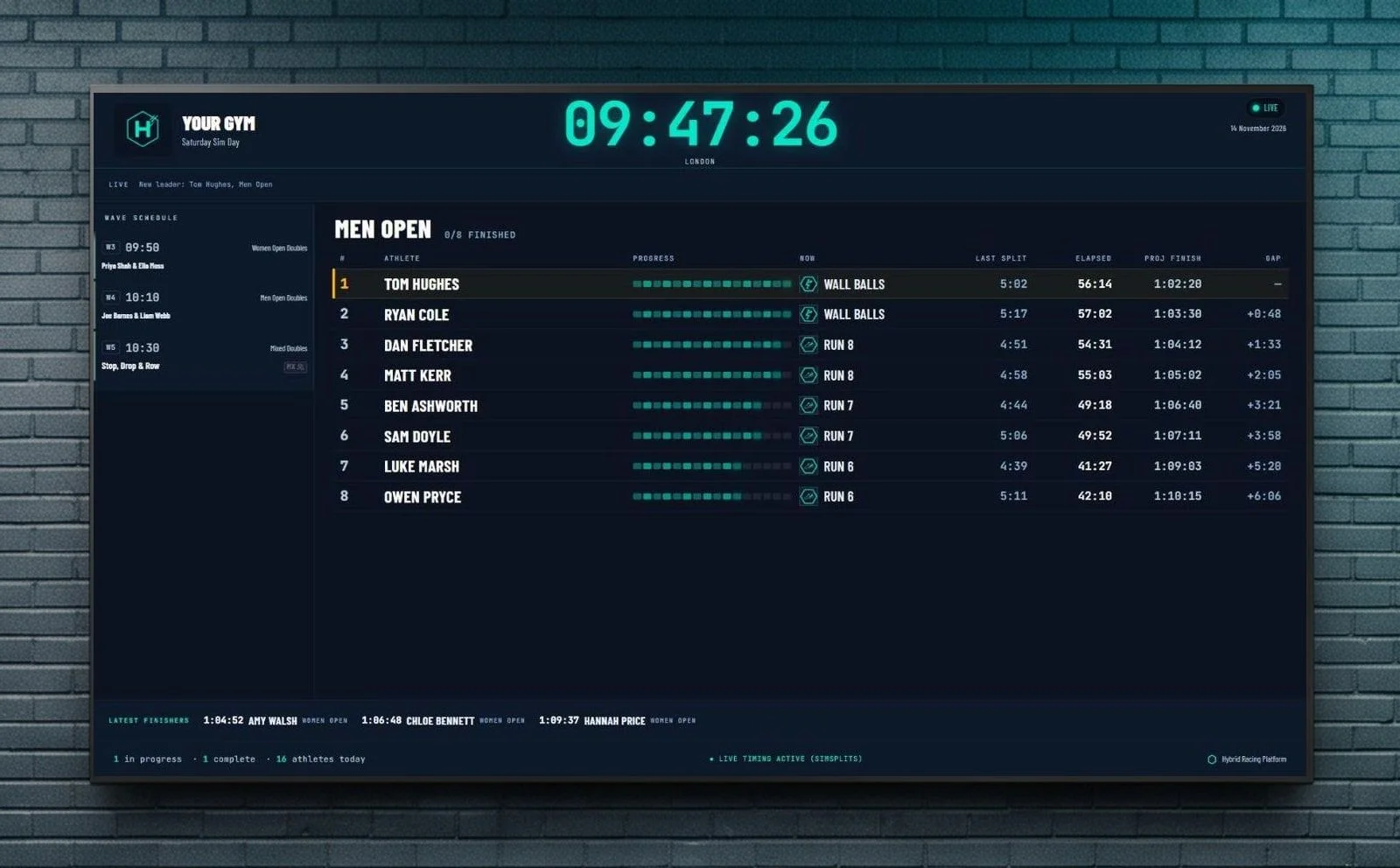
- During the race: a live leaderboard on the gym TV, and splits that friends and family can follow on their phones
- After you publish: their total time, every split and the Roxzone, compared with the field
- Their place in their category, and the chance to claim the result to their own profile
- For the gym: an event results page and gym records built from the same taps
Questions about timing a sim
Can one person time a whole sim?
Yes, for fewer than 20 athletes. One judge at the gym door can tap each athlete in and out. From 20 athletes, use two judges.
Do judges need to install an app?
No. On HRP, judges open a link in their phone browser and enter the event PIN and their name. They do not need an account.
Does phone timing work without signal?
Yes, once the judge has signed in. Taps are saved on the phone with their exact time and sent when the connection returns. The first sign-in needs a connection, and the gym TV only shows those taps once they have been sent.
What if a judge's phone runs out of battery?
Taps already made stay on the phone and are sent once it is back on. Anything that happened while it was off has to be added by the organiser, which is why a battery pack and a paper finish order are worth having.
What does it cost to time a sim on HRP?
Gyms pay per athlete using tokens in their local currency, and the first event is free for up to 100 athletes. There is no timing hardware to buy.
Is a gym sim an official HYROX race?
No. A sim is an unofficial practice race run by a gym in the same format. It gives no official result or ranking.
More guides for organisers
- Fitness event softwareBookings, waivers, live timing and results for any gym fitness event, in one place.
- How to set up your own fitness eventFrom format and venue to bookings, judges, timing and results.
- How to run a HYROX sim at your gymRuns, stations, waves and a live gym TV leaderboard.
- How to run a CrossFit competition at your gymWorkouts, divisions, scoring and a live leaderboard for a throwdown.
- How to run a partner fitness racePairs, timed blocks, reps and metres, and a score for every team.
- Gym event ideas12 events members will enter, with format, kit and how to score each one.
- Race timing for small eventsWhat it costs, how many judges you need and how timing works on the day.
- How to time a race without chipsStopwatch, spreadsheet, phone tap timing or chip hire: costs, pros and cons.
- DIY race timing apps comparedWebscorer, RaceClocker, RaceSplitter, free options and HRP, and when to hire chips.
- For event companiesRun your own branded race series across venues.
HYROX is a trademark of its owner. Hybrid Racing Platform is independent, not affiliated with or endorsed by HYROX, and publishes no official HYROX results. The name is used here only to describe the race format.