Race timing for small events
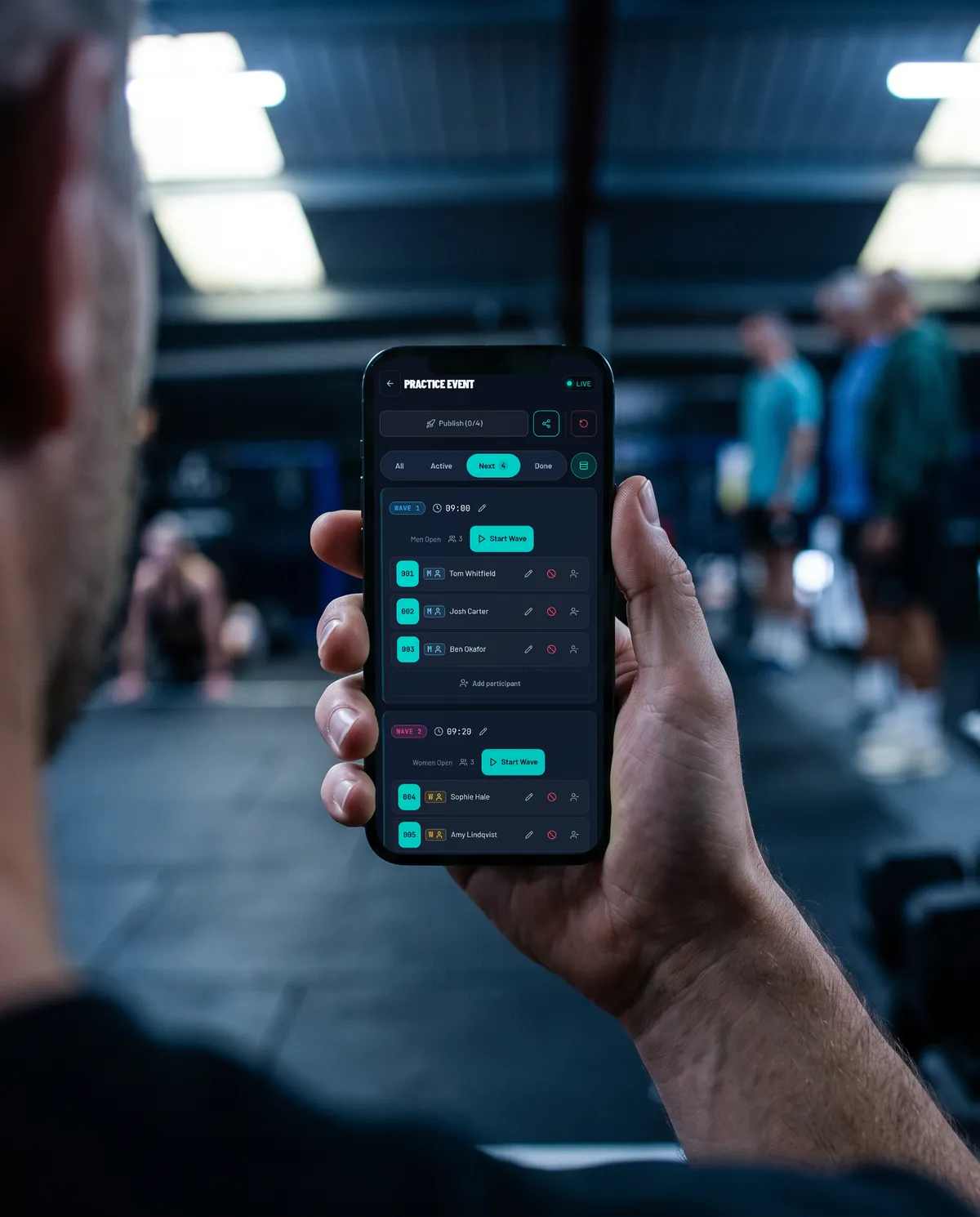
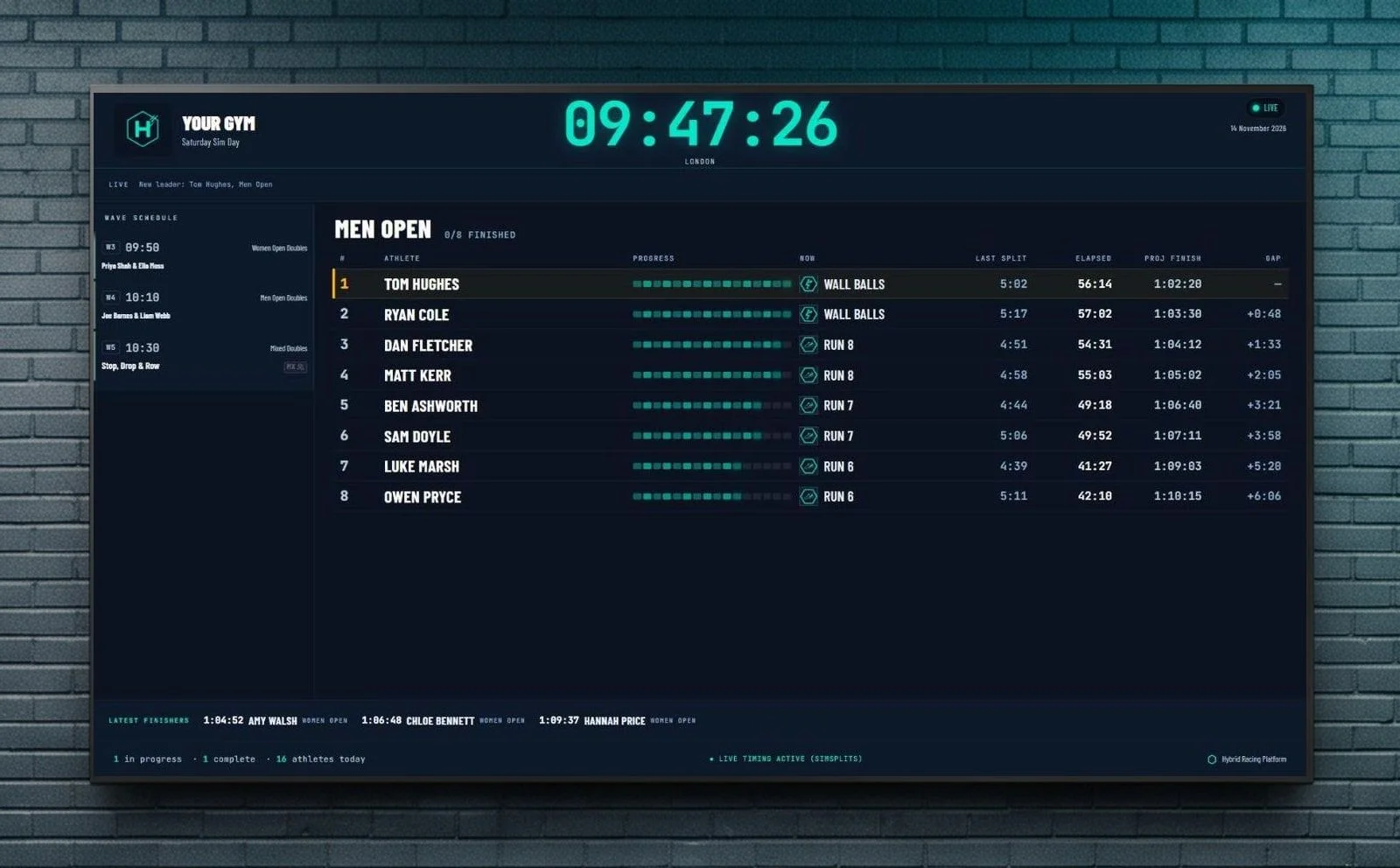
Timing 20 to 250 people does not have to mean hiring chips. HRP times HYROX sims and other races with runs and stations on your judges' own phones, shows a live leaderboard on the gym TV and gives every athlete their splits the same day.
Free to sign up, with a practice event on your account to try first.
- Athletes free
- 100
- On your first event
- Per athlete after
- £1
- No subscription
- Kit to hire
- 0
- Your judges' phones
- Results
- Same day
- Splits for every athlete
What is the cheapest way to time a small event?
A stopwatch costs the least but gives you finish times only. A phone timing app is the cheapest way to get splits and live results. Chip hire costs the most, and suits hundreds of people finishing together.
| Method | Typical cost | Splits | Live board | Best for |
|---|---|---|---|---|
| Stopwatch and clipboard | Next to nothing | No | No | A dozen people |
| Spreadsheet | Free | With double typing | No | One finish line |
| HRP on phones | First 100 free, then £1 each | Every run and station | Yes, on the gym TV | HYROX sims and station races |
| Other DIY apps | Free to a yearly fee | Varies by app | Varies by app | Road races and time trials |
| Chip hire | Quoted per event | At each mat | Ask the timer | Hundreds finishing together |
Chip prices vary, so ask for a quote. As one example, a UK timing company publishes £500 for a race of up to 300 runners, plus £50 per operator with a minimum of two, which comes to £600.
DIY race timing apps compared →How to time a race without chips →
How many judges will you need, and what will it cost?
Move the slider to your expected numbers. Fewer than 20 athletes needs 1 judge, 20 to 79 needs 2, and 80 or more needs one per station.
- Judges on phones
- 2Sharing the timing points
- Your first event
- FreeWithin your free 100
- Each event after
- £6060 × £1 per athlete
Judges are for a race with runs and stations. Each person in a doubles pair counts as one athlete. Tokens for extra athletes come in packs of 50, and prices are shown in your local currency once you sign in.
A judge here is a person timing splits on their phone at the gym door, where athletes come in from the run to do the stations inside and go back out. With one judge per station, each station judge can also apply penalties.
How timing works on the day
You set up the event once. On the day, judges open a link on their own phones and tap each athlete through. Nothing needs installing.
- Set up your eventAdd your categories and format. Try the timing first on the practice event already on your account.
- Get your athletes inAthletes book and pay on your event page, or you add them yourself if they booked elsewhere.
- Plan your wavesBuild waves from who booked, then share the start times page with your athletes.
- Brief your judgesSend each judge the link and event PIN. They open it in a phone browser and choose their timing point.
- Tap and watchJudges tap each athlete's name at every split. If the signal drops, taps are saved on the phone and sent when it returns.
- Share the resultsFix any mistakes, then publish. Every athlete gets a full split breakdown the same day.
Which small events does HRP suit?
HRP suits HYROX sims and other races with runs and stations: charity sims, relays, partner races and in-house competitions. If you only need finish times for a road race or fun run, a bib-entry app may be simpler.
- Singles, doubles and relays in the same event
- Custom station lists, and formats scored on reps, calories or metres
- Penalties, no-shows and split edits on race day
- Bookings and payments in the same place as your timing
What you need on the day
A charged phone for each judge, a named person for each timing point, and a practice run before race day. A TV and laptop are optional.
- Walk each timing point with a phone beforehand and note where the signal is weakest
- Bring a battery pack for each judge
- Have judges practise on the practice event until tapping feels routine
- Keep a paper finish order at the end of the race as a backup
- Start in waves so athletes reach each timing point spread out
When should you hire chips instead?
Hire chips when hundreds of people finish together, when times need to stand up as records, or when you do not have a person for each timing point. HRP can also take chip times from RACE RESULT systems alongside tap timing.
Questions organisers ask
How much does race timing cost for a small event?
A stopwatch costs next to nothing, and DIY apps range from free to a yearly fee. HRP is free for your first 100 athletes, then £1 per athlete. Chip hire is quoted per event and costs the most.
Can I time a small event without chips?
Yes. For up to about 250 people, judges tapping on phones is usually enough, particularly if you start in waves so athletes are spread out.
Do judges need to install an app?
No. On HRP, judges open a link in their phone browser and enter the event PIN.
What if the gym has poor signal?
Each tap is saved on the phone with its exact time and sent when the connection returns. Test your timing points beforehand so you know where the signal is weakest.
Can I use HRP if athletes booked somewhere else?
Yes. You can add athletes to your event yourself, including walk-ups on the day.
Can I try the timing before race day?
Yes. Every new gym account has a practice event, so your judges can try tapping before the real thing.
More guides for organisers
- Fitness event softwareBookings, waivers, live timing and results for any gym fitness event, in one place.
- How to set up your own fitness eventFrom format and venue to bookings, judges, timing and results.
- How to run a HYROX sim at your gymRuns, stations, waves and a live gym TV leaderboard.
- How to run a CrossFit competition at your gymWorkouts, divisions, scoring and a live leaderboard for a throwdown.
- How to run a partner fitness racePairs, timed blocks, reps and metres, and a score for every team.
- Gym event ideas12 events members will enter, with format, kit and how to score each one.
- How to time a HYROX-style sim at your gymJudges at the door, how many you need, and what to do if the signal drops.
- How to time a race without chipsStopwatch, spreadsheet, phone tap timing or chip hire: costs, pros and cons.
- DIY race timing apps comparedWebscorer, RaceClocker, RaceSplitter, free options and HRP, and when to hire chips.
- For event companiesRun your own branded race series across venues.
Timing a small event soon?
Sign up free and try the timing on your practice event, or book a call and we'll go through your categories, waves and race day together.
HYROX is a trademark of its owner. Hybrid Racing Platform is independent, not affiliated with or endorsed by HYROX, and publishes no official HYROX results. The name is used here only to describe the race format.